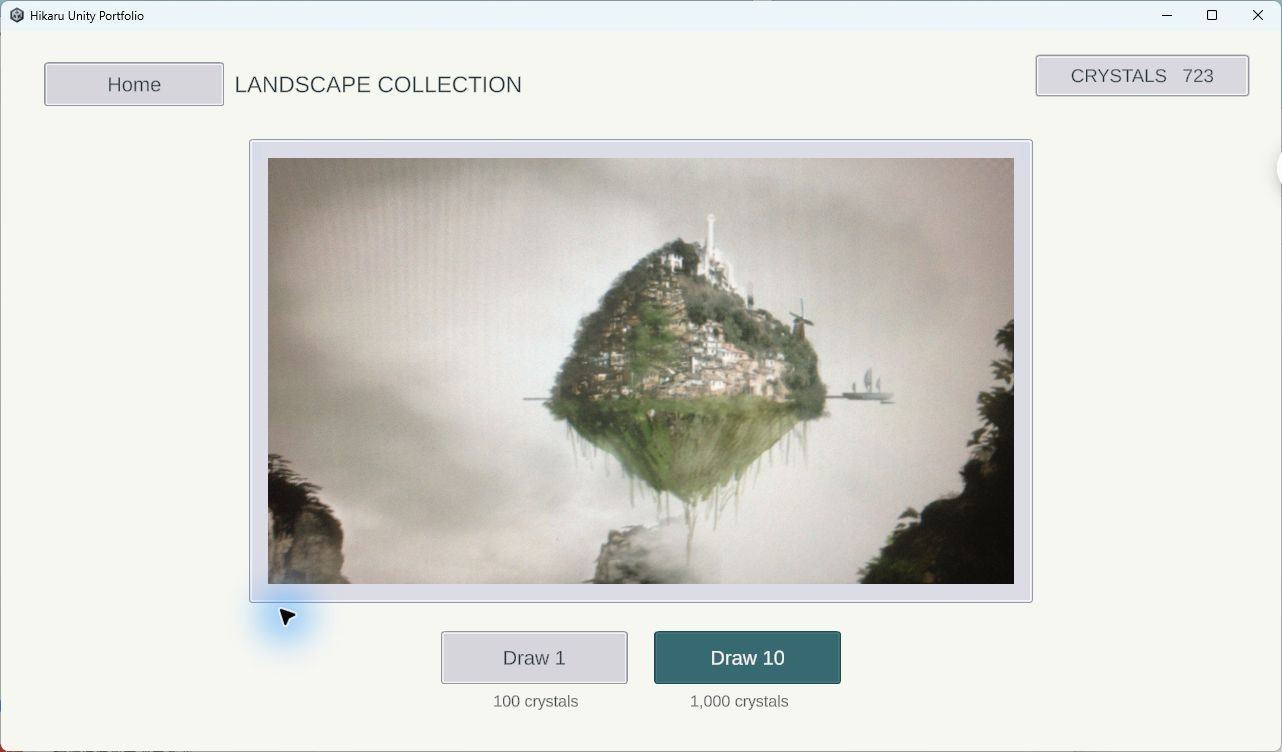
01 Gacha
The original card art and draw screens. Spend crystals on single or ten-card draws, then find the results in the same inventory.
Five equally likely cards. No pity system.
Personal Unity project · Client-only edition
Gacha, a card inventory, a short rhythm game, and a random maze.
Play to earn crystals, draw cards, and keep your collection.
Built from my original UI, gacha and card inventory project. Rhythm, maze and this smaller edition were developed with AI assistance.
Extract the whole ZIP, then run HikaruUnityPortfolio.exe.
Actual screens from the downloadable client.
The original card art and draw screens. Spend crystals on single or ten-card draws, then find the results in the same inventory.
Five equally likely cards. No pity system.
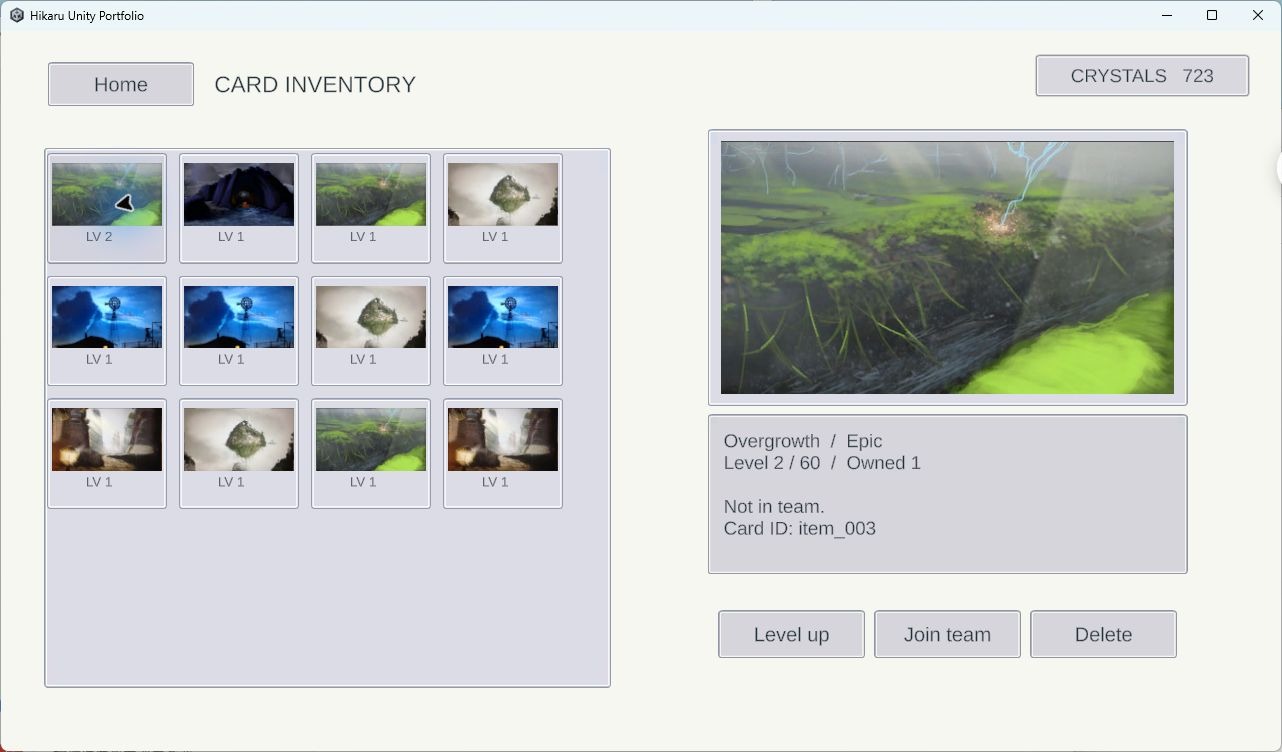
Inspect owned cards, quantities and levels. Upgrade, mark cards for a team, or remove a row; changes are saved locally.
The original card grid, artwork and detail view are retained.
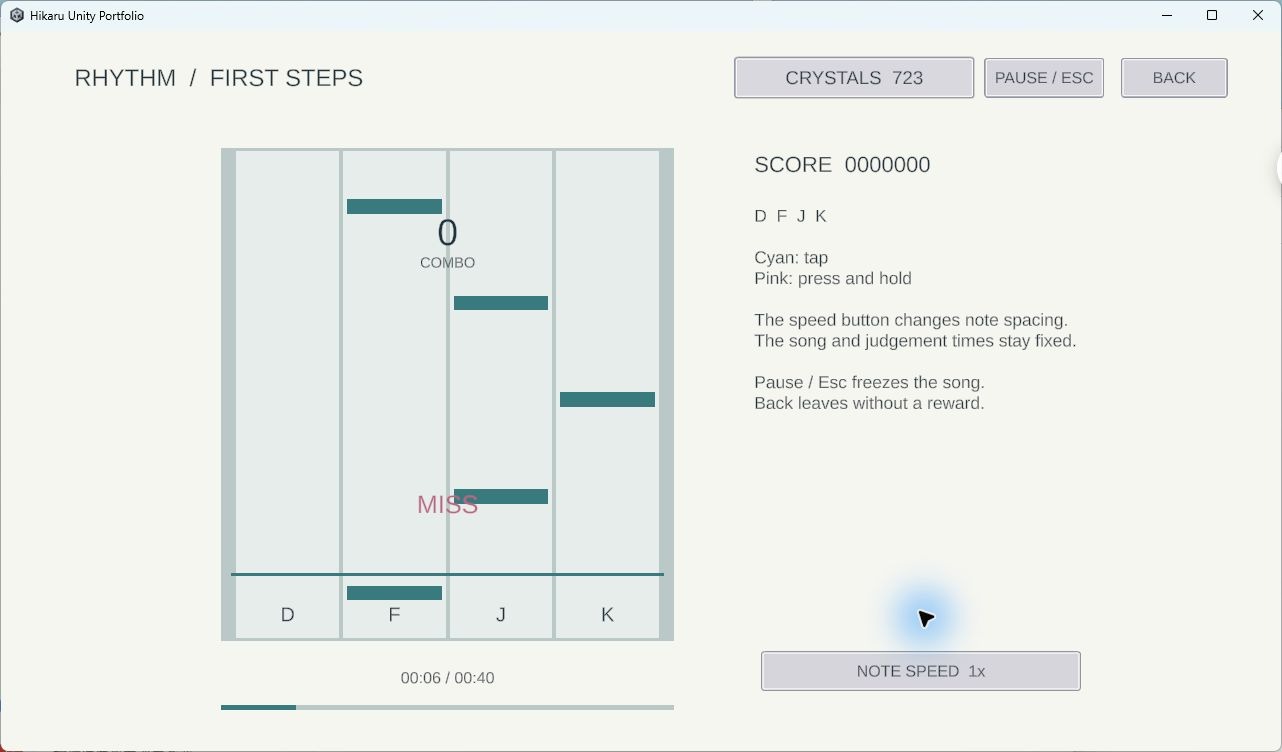
A 40-second song with four lanes, Tap and Hold notes, timing feedback and combo. A qualifying finish earns crystals.
D F J K · Pause / Resume or Esc during play. Scroll speed keeps song and hit times fixed.
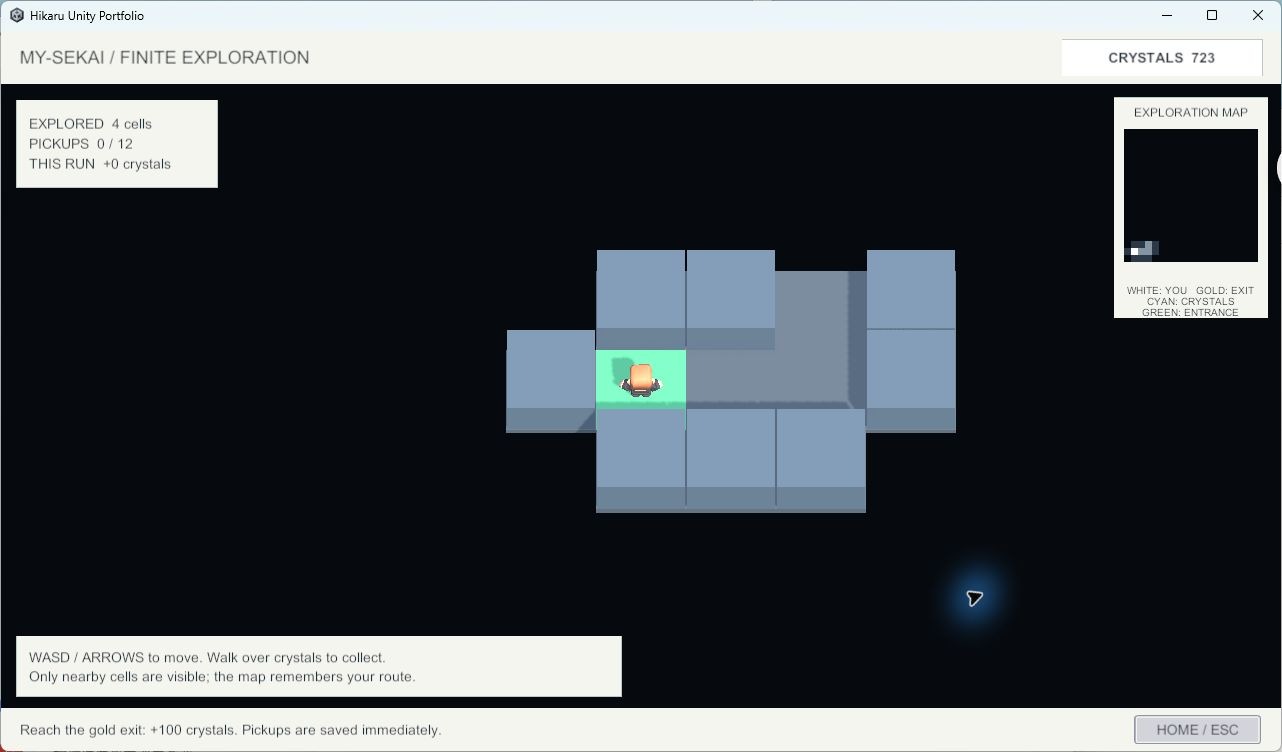
A new finite maze each visit. Collect scattered crystals and find the exit for a reward. Only nearby cells are visible; the minimap remembers this run’s explored area.
W A S D to move · Walk over crystals to collect.
Both gameplay controllers add rewards through DemoProgress. Gacha and inventory use that same wallet and local save.
I’m preparing for junior Unity client roles. This smaller edition focuses on a playable loop and code that can be followed from a button or key press to a visible result.
My original work is the UI, gacha and inventory foundation. The later gameplay and this extraction used AI assistance. Artwork and character assets come from the existing project, including third-party resources.
The Windows demo, Unity source code and implementation notes are public. The architecture page links directly to the C# files behind each module.